Sign, fill and tidy up your PDFs.
Simple PDF is a calm little Mac app for the PDF jobs that come up every week. Sign a contract, fill in a form, fix the pages, and get on with your day.
Version 1.0.0 · Updated 20 October 2026
Everything you need. Nothing you don't.
Sign with one click
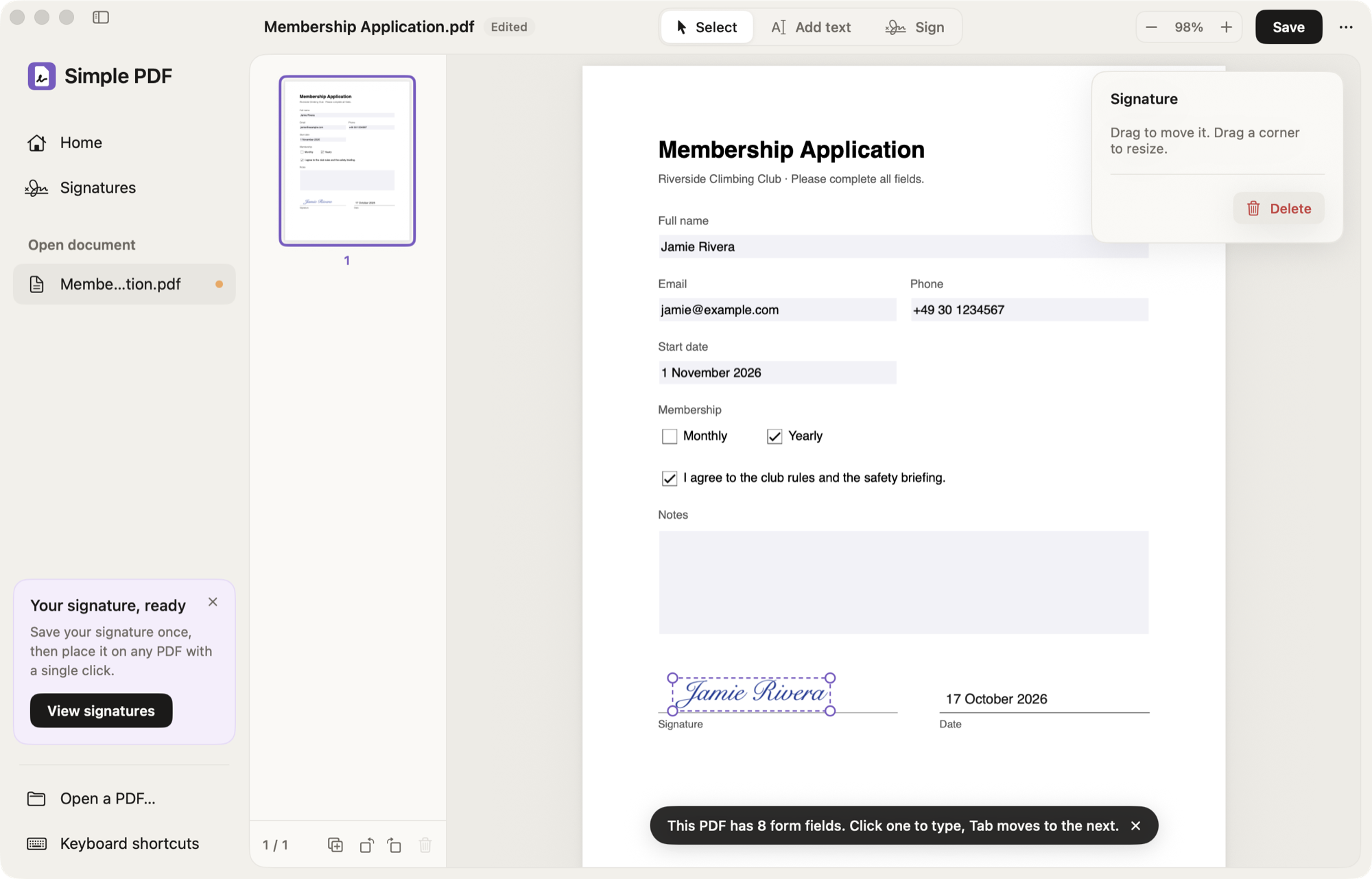
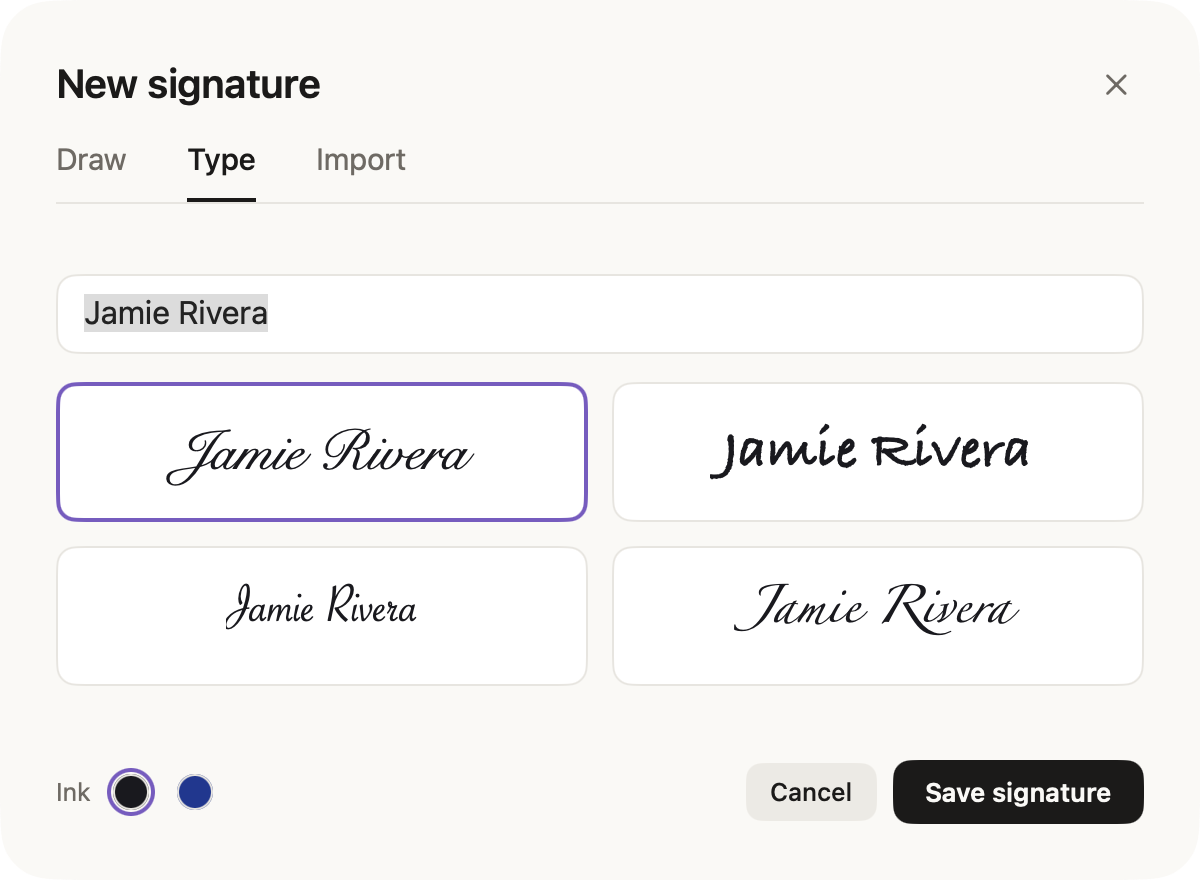
Draw your signature with the trackpad, type your name, or import a photo of it on paper. Then place it with one click.
Fill in any form
Type into form fields and press Tab for the next one. No fields? Add text, ✓, ✗ and today's date anywhere on the page.
Tidy up pages
Drag thumbnails to reorder them, and rotate or delete pages. Changed your mind? Everything can be undone.
Combine and split
Add the pages of other PDFs by dropping them in, or save a few pages as a new file.
Find anything
Search the whole document with ⌘F and jump from match to match.
Save your way
Keep text editable in Preview and Acrobat, or export a flattened copy that can't be changed.
Signatures
Your signature, always at hand.
Create it once and Simple PDF keeps it for next time. Imported photos lose their paper background automatically, so your signature looks like real ink on every page.
- Draw, type or import
- Black or blue ink
- Drag to move, drag a corner to resize
Home
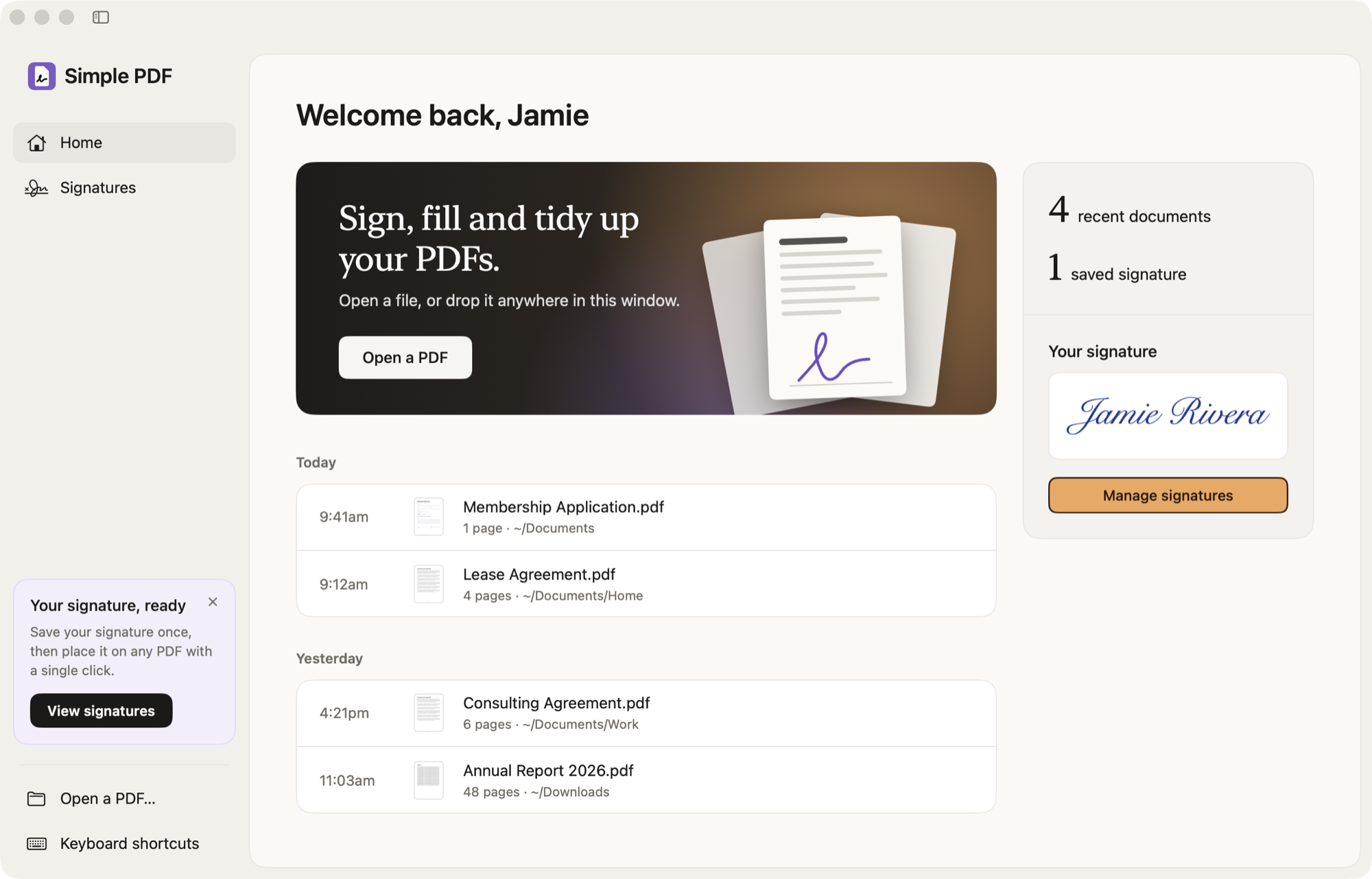
Pick up where you left off.
Your recent PDFs wait on the Home screen, grouped by day. Open one with a click, or drop a file anywhere in the window.
Simple PDF works entirely on your Mac. Your documents and signatures never leave it. There's no account and no subscription; at most, if you allow it, an anonymous signal once a day that it's in use.
Questions.
- Is Simple PDF free?
- Yes. Download it and use it as much as you like.
- Will my PDFs still work in other apps?
- Yes. Simple PDF saves standard PDF files. Text you add stays editable in Preview and Adobe Acrobat. Signatures, ✓ and ✗ become part of the page, like ink on paper.
- Is the signature legally binding?
- Simple PDF adds an image of your signature, like signing a printout and scanning it back in. That's what most everyday paperwork asks for. Some documents need a certificate-based digital signature from a dedicated service; if so, the person asking will tell you.
- Can PDFs open in Simple PDF by default?
- Yes. Click "Make default" on the Home screen (or choose Simple PDF → Make Default PDF App), and double-clicking a PDF in Finder opens it in Simple PDF.
- What do I need?
- A Mac with macOS 14 Sonoma or later. Simple PDF runs natively on both Apple silicon and Intel Macs.
- macOS says it can't open the app. What now?
- Try to open it once, then go to System Settings → Privacy & Security and click Open Anyway next to Simple PDF. After that it opens normally.