All your mail, calmly in one place.
Simple Mail puts Gmail, WEB.DE, GMX, iCloud and your own domain side by side. Conversations read like a chat, newsletters leave with one click, and spam is caught on your Mac.
Version 1.0.1 · Updated 20 October 2026
Everything you need. Nothing you don't.
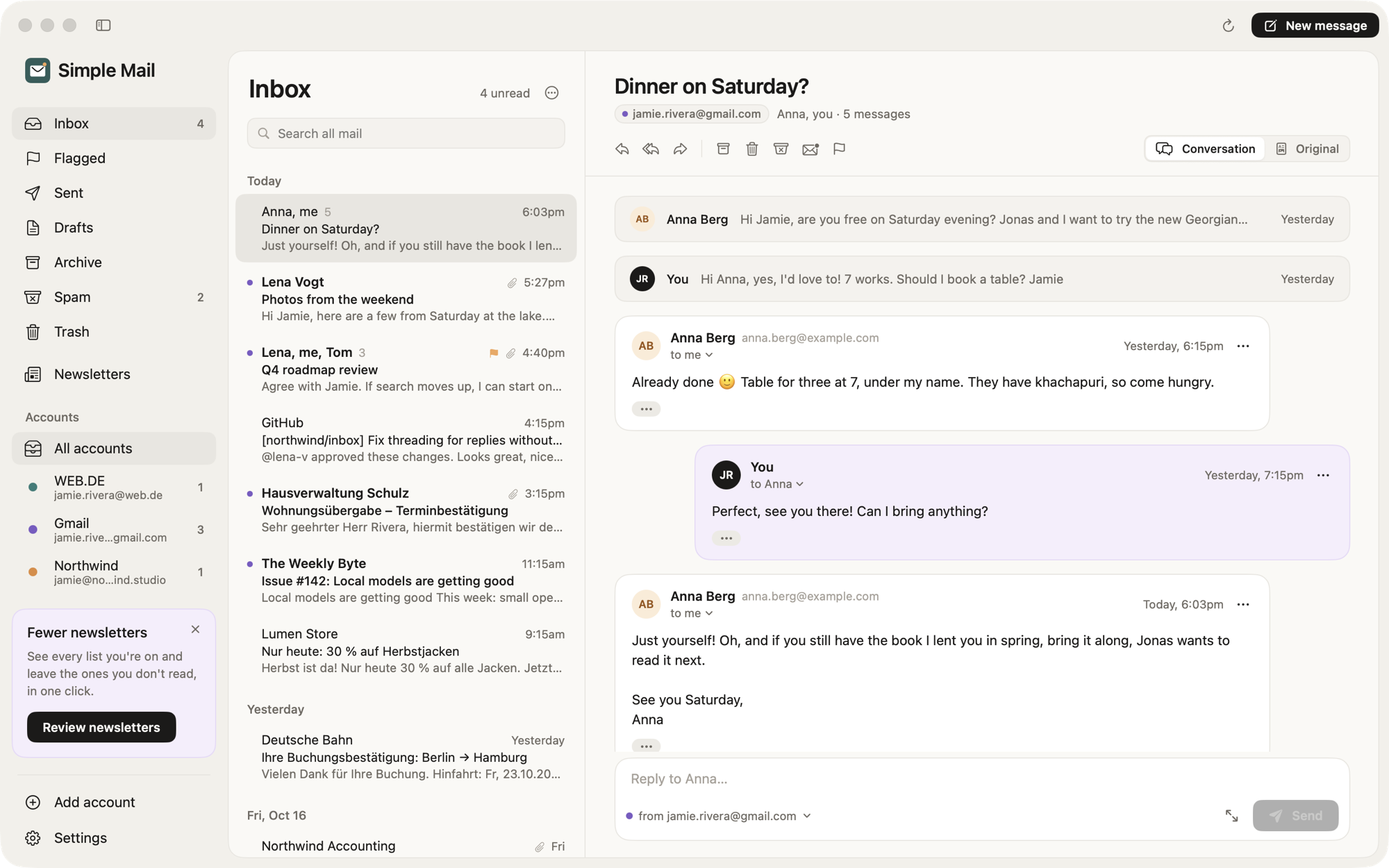
Every account, one inbox
Add an account with its address and password; the server settings are looked up for you. See all mailboxes together or one at a time.
Conversations, not piles
Replies are grouped with what they answer. Yours on the right, theirs on the left, quoted history and signatures folded away.
Send from any address
Pick the sender in the composer. Replies start from the address the message was sent to.
Safe to open
No scripts, no tracking pixels until you load images, links open in your browser. Risky attachments warn before they open.
Search everything
One search across every account and folder.
Undo send
Changed your mind? You have a few seconds to take it back. Drafts survive quitting.
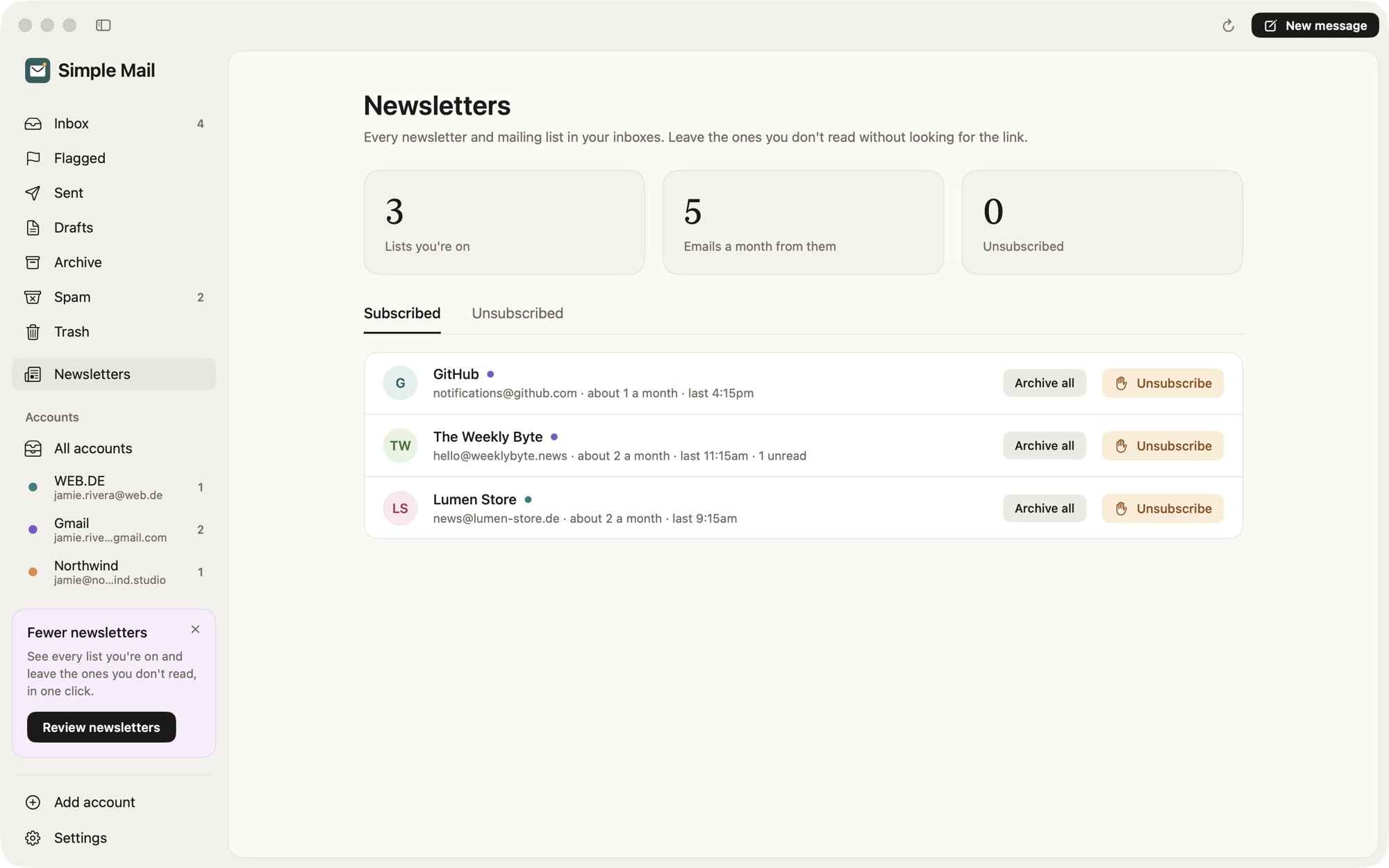
Newsletters
Leave the lists you never read.
Every newsletter you're on, with how often it writes. Unsubscribe in one click, with the sender's own one-click standard where they support it.
- Archive all from a sender
- Flags lists that keep writing after you left
Spam
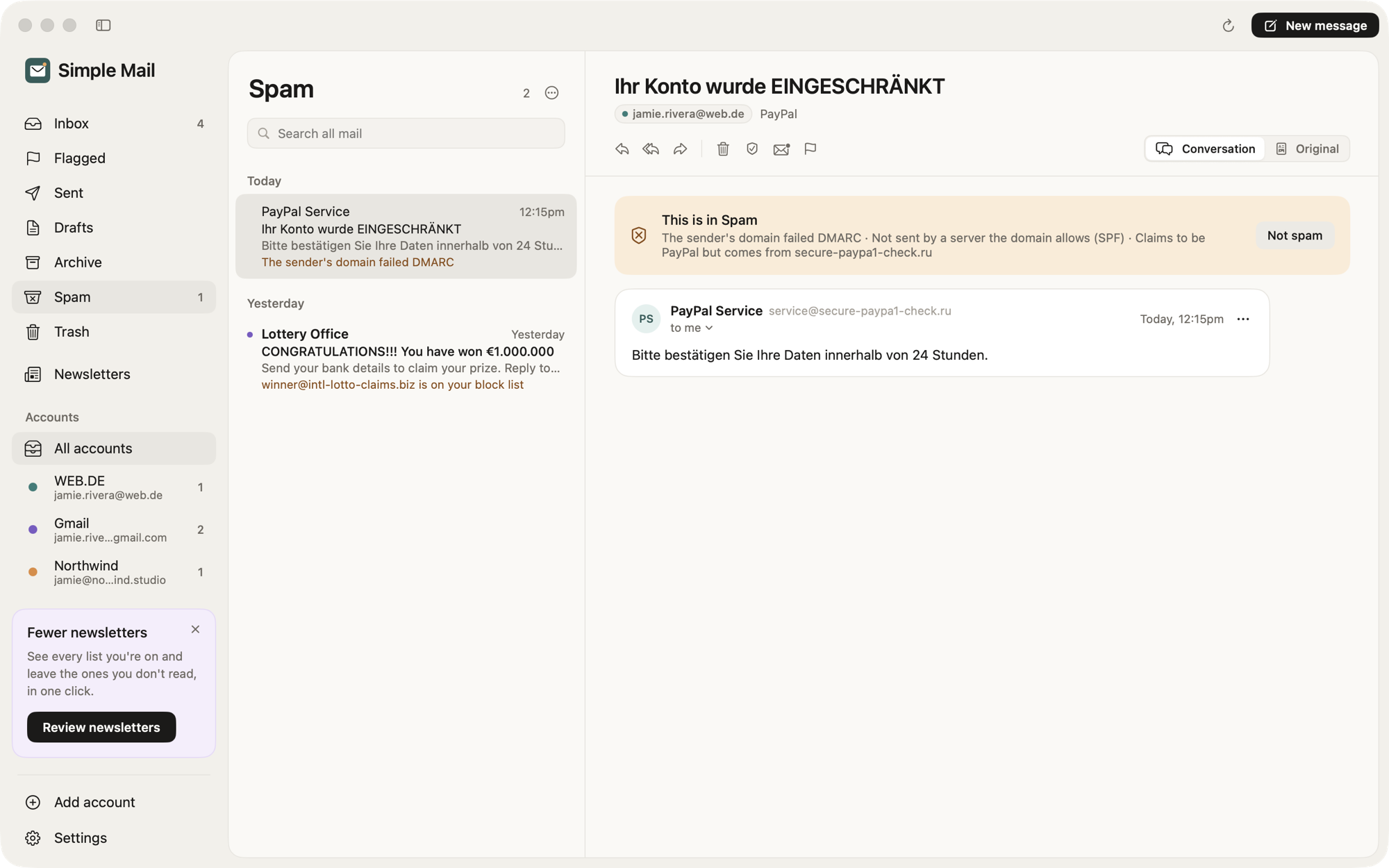
Spam, caught on your Mac.
Every new message is checked on your Mac: the sender's SPF, DKIM and DMARC results, look-alike brand names, links that hide where they go, and optionally an AI spam model that runs locally. The Spam folder tells you why each message is there.
- Not spam is remembered
- Your own allow and block lists
Simple Mail talks directly to your mail providers. Your mail, passwords and contacts stay between your Mac and them; passwords live in the macOS keychain.
Questions.
- Is Simple Mail free?
- Yes. Download it and use it as much as you like.
- Which providers work?
- Any mailbox with IMAP and SMTP: Gmail, WEB.DE, GMX, iCloud, Yahoo, Fastmail, Posteo, mailbox.org, T-Online and your own domain. Gmail and iCloud need an app password. Outlook.com isn't supported yet.
- Does my mail go through your servers?
- No. Simple Mail connects straight to your providers. There are no servers of ours in between.
- What do I need?
- A Mac with macOS 14 Sonoma or later. Simple Mail runs natively on both Apple silicon and Intel Macs.
- macOS says it can't open the app. What now?
- Try to open it once, then go to System Settings → Privacy & Security and click Open Anyway next to Simple Mail. After that it opens normally.