Never run out of space again.
Diskwatch sits in your menu bar, warns you before your Mac fills up and finds the space you didn't know you were losing.
Version 1.3.0 · Updated 20 October 2026
Everything you need. Nothing you don't.
Warns you early
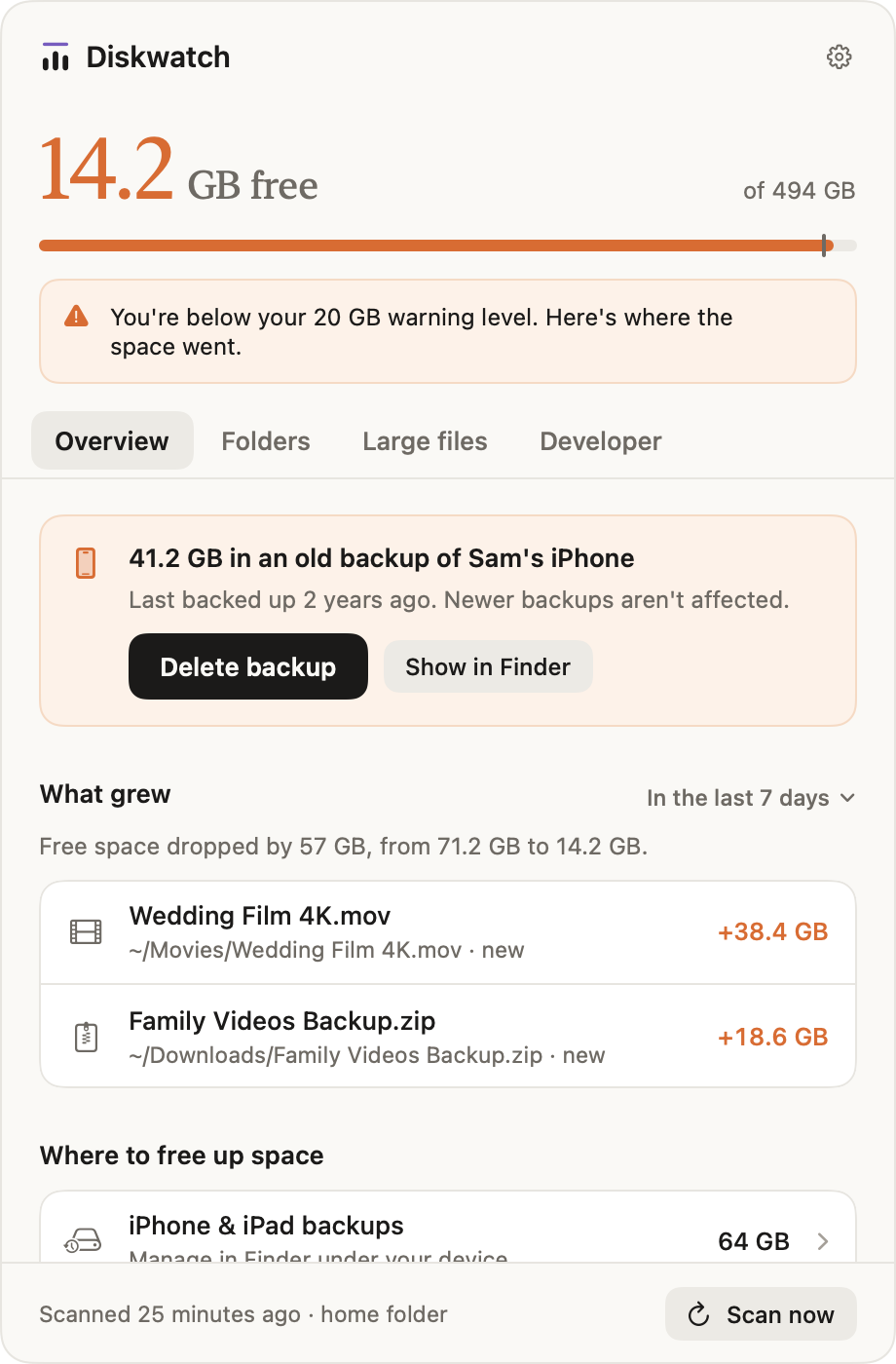
Pick a level, 20 GB by default. Below it, the menu bar icon turns orange and you get a notification; below half of it, red.
Already knows where the space went
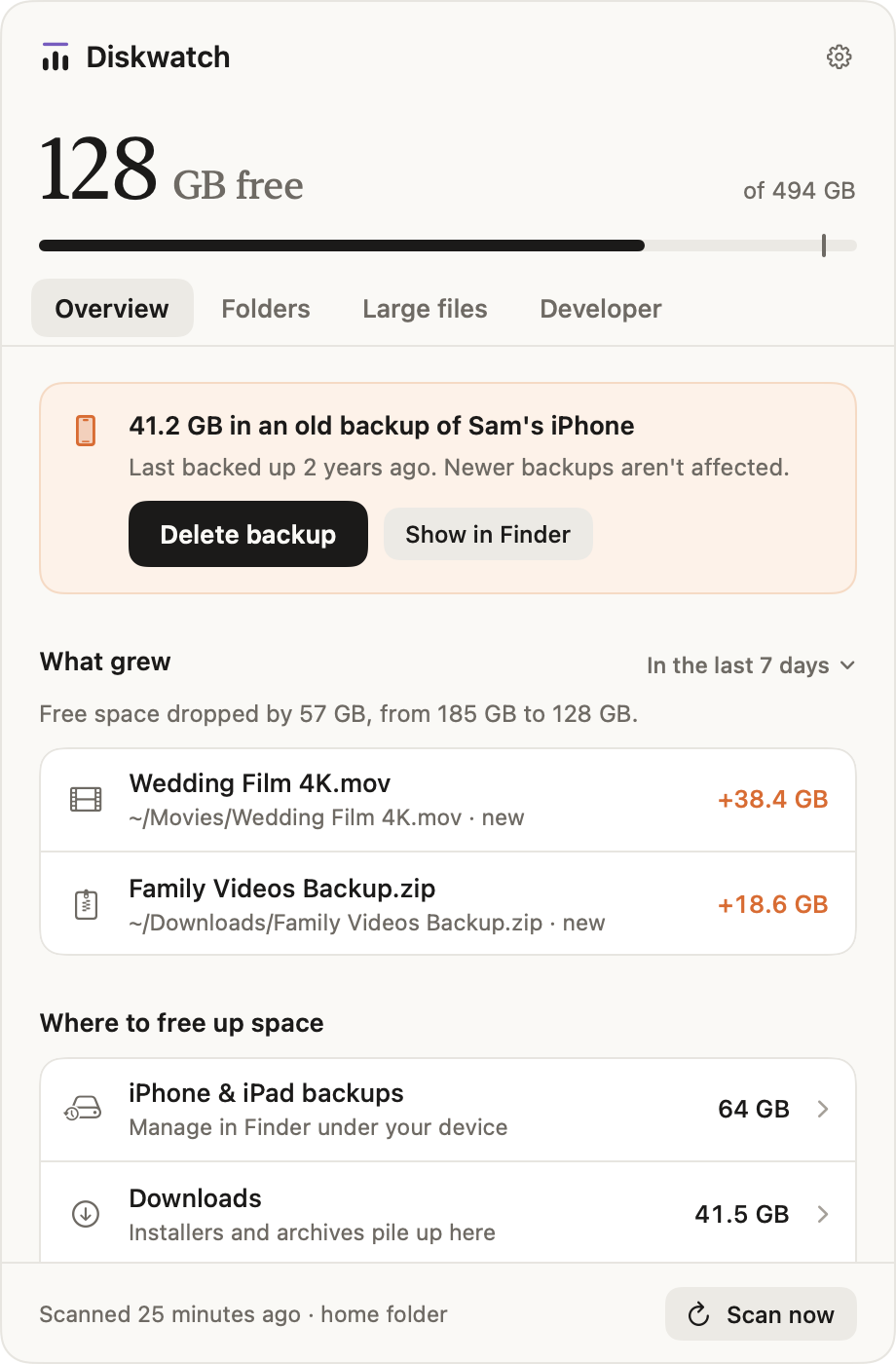
Diskwatch scans in the background, so the answers are ready the moment you click. No waiting for System Settings.
What grew
The folders and files that took new space since an earlier scan, like a Hugging Face cache that grew by 40 GB.
Built for developer Macs
Docker, Git worktrees, Hugging Face and Ollama models, Xcode data and package caches, each with its own cleanup.
Safe to clean up
Nothing goes without asking. Files go to the Trash, and afterwards you see how much space actually came back.
You won't notice it
Scans run at background priority while your Mac is idle, and after the first one only changed folders are looked at.
Warnings
Know before it's full.
A heads-up in your menu bar, long before an update or export fails.
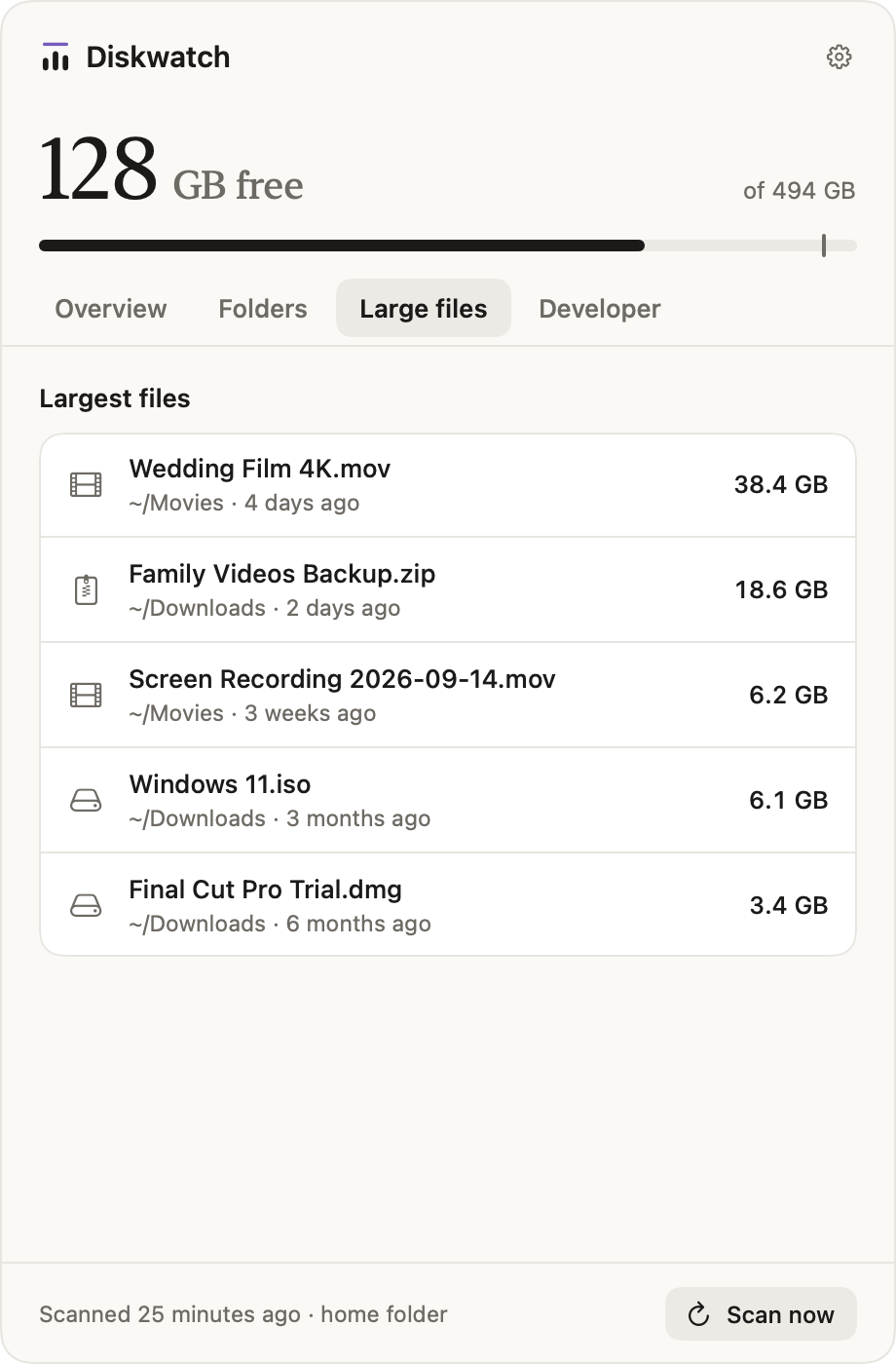
Large files
Find the big stuff instantly.
Every file already measured, biggest first, with where it is and how old it is.
Cleanup
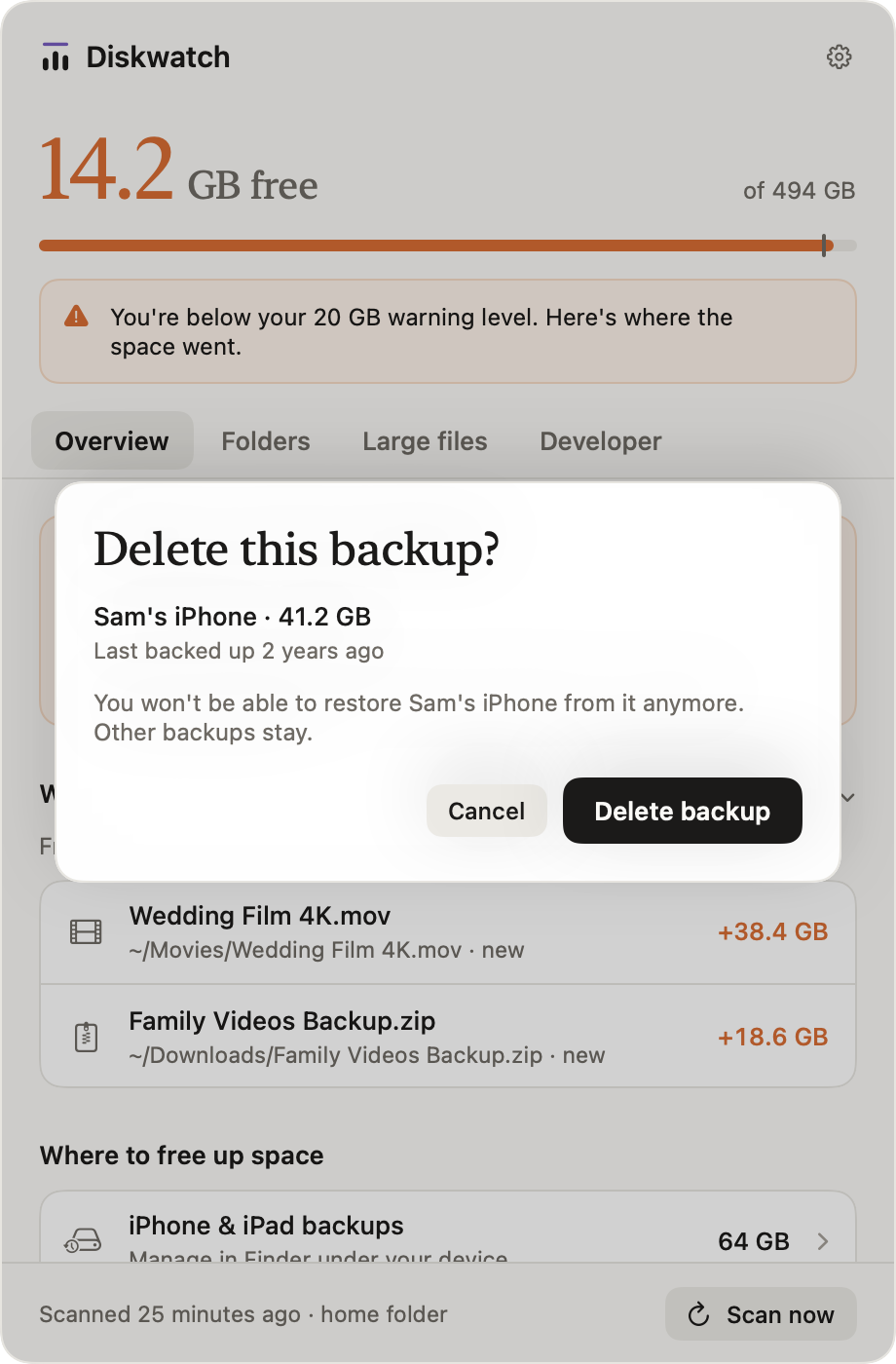
Get space back, safely.
One click, and you always see what goes first.
- Old iPhone and iPad backups
- Unused Docker images and volumes
- Stale Git worktrees and caches
Diskwatch measures your disk on your Mac. Nothing about your files leaves it; it goes online only to check for updates and, if you allow it, to say once a day that it's in use.
Questions.
- Is it safe?
- Diskwatch never deletes anything on its own. Every cleanup shows what will be removed and asks first. Files you remove by hand go to the Trash, so you can put them back.
- Will it slow down my Mac?
- No. Diskwatch scans at background priority while your Mac is idle, and after the first scan it only looks at folders that changed.
- Why does it ask for Full Disk Access?
- So it can measure your whole disk without macOS asking about each folder. Without it, Diskwatch still works and looks at your home folder.
- Does anything leave my Mac?
- Nothing about you or your files. There's no account and no cloud. Diskwatch goes online to check for updates and messages from us, and, only if you allow it, sends one anonymous signal a day that it's in use.
- Does it have to live in the menu bar?
- No. In Settings you can switch Diskwatch to a regular app with a Dock icon and its own window.
- Which Macs does it run on?
- Any Mac with macOS 14 Sonoma or later, Apple silicon and Intel.